 Games
About this tool
The first time you open it, type the name of your town. After that it opens straight to today's weather for that place.
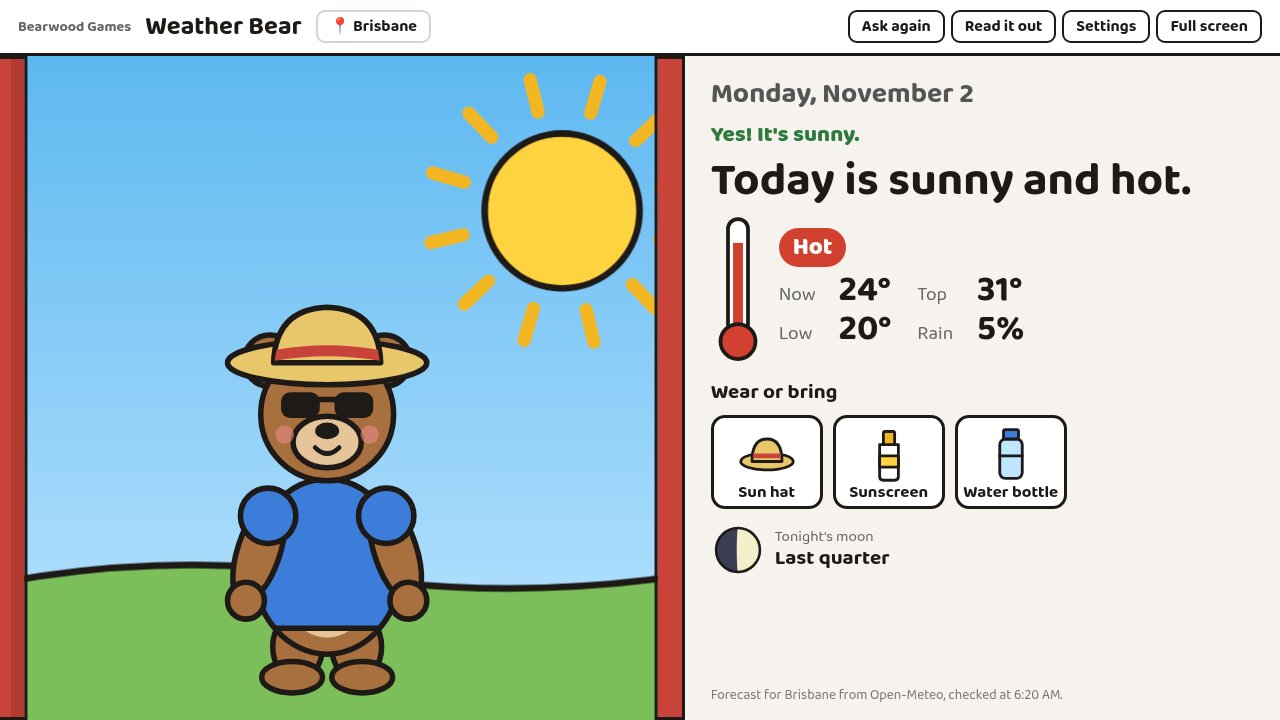
The curtains start closed and Bear is still in his pyjamas. The class looks out of the window and picks one of six pictures: sunny, sun and clouds, cloudy, rainy, stormy or snowy. The curtains open on the real weather and Bear is dressed for it. The board says "Yes! It's rainy." or "Nice try! The forecast says it's cloudy." If you'd rather skip the guess, turn it off in Settings.
Underneath is one short sentence, like "Today is rainy and cool.", the temperature now and the top and low for the day, the chance of rain, and pictures of what to wear or bring. Sun hats and sunscreen come up when the UV index is 3 or more. The last line shows tonight's moon and its name.
Read it out (or the R key) reads the date, the weather and what to wear out loud.
Where the weather comes from
The forecast comes from Open-Meteo, which uses the national weather services' models. It checks again every half hour. If the internet drops, it keeps showing the last forecast it got for today. Some school web filters block new sites, so if the weather doesn't load, ask IT to allow open-meteo.com.
Only your town is kept, in the browser on that computer. There are no ads and no accounts.
Good for
- Morning circle and the daily calendar routine
- Special education classes that use a visual schedule
- Talking about what to wear before going out at lunch
- Weather words: sunny, cloudy, windy, hot, cool, cold