 Games
Games
About Star Jar
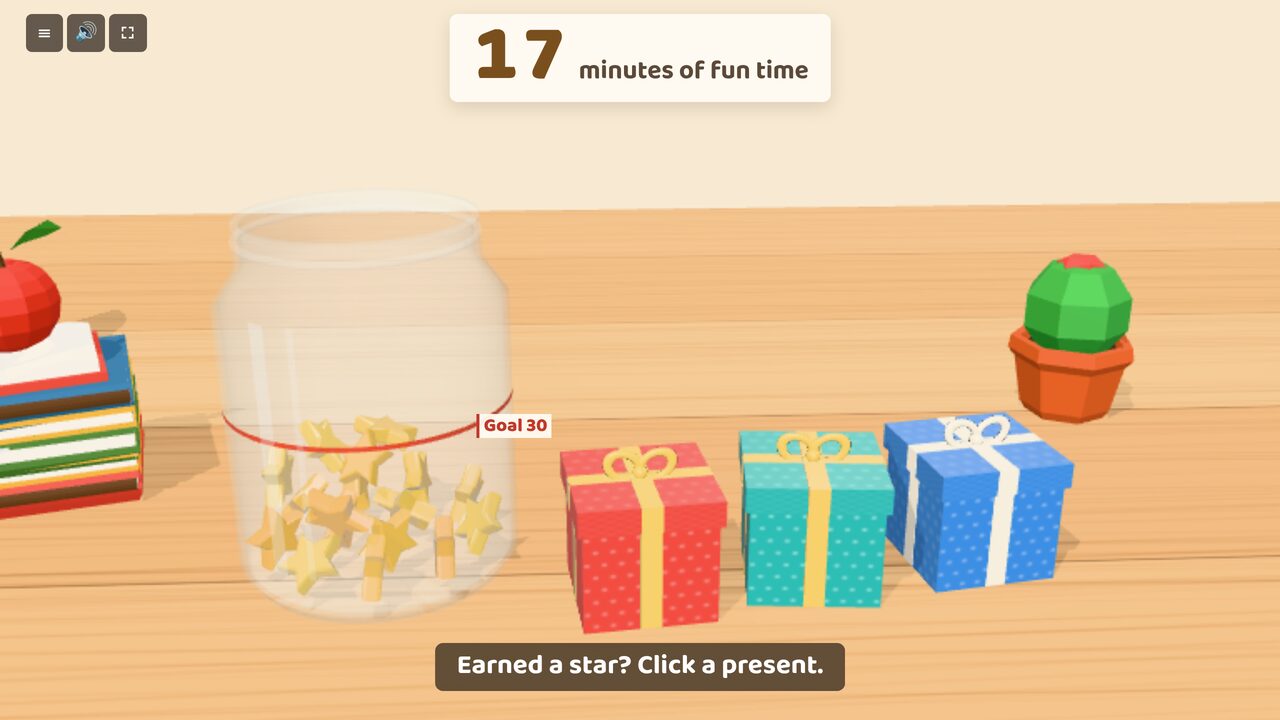
A glass jar sits on the teacher's table with three wrapped presents next to it. When you tell a child they've earned a star, they go to the computer and click one of the presents. It shakes, the lid pops off, and the number inside shows: 1, 2, 3 or sometimes 5. That many gold stars fly into the jar, and the count at the top goes up.
Each star is one minute of fun time. A red line on the jar marks the class goal for the week. When the stars reach it, the count turns gold.
At the end of the week, start fun time. A clock counts down the minutes the class earned, and a star floats out of the jar each minute. When the clock gets to zero the jar is empty, ready for next week.
How it works
- Open Star Jar on a computer the children can reach and leave it there.
- When a child earns a star, send them to click a present (or press 1, 2 or 3).
- Open the menu to see how many stars came in each day, change the goal, or undo a present opened by mistake.
- When it's time, press Start fun time. You can pause it and carry on later.
The stars are kept in the browser on that computer, so they're still there the next morning. The fun time clock follows the computer's clock, so it stays right if the screen goes to sleep.
Good for
- Whole-class rewards for good choices, kindness or effort
- Golden time or Friday fun time
- Showing the class how close they are to their goal