 Games
Games
About this tool
Pick a shape and set its sizes with the sliders. The shape sits on a grid of 1 by 1 squares, with its sizes marked on it. Drag to turn it round.
Surface area
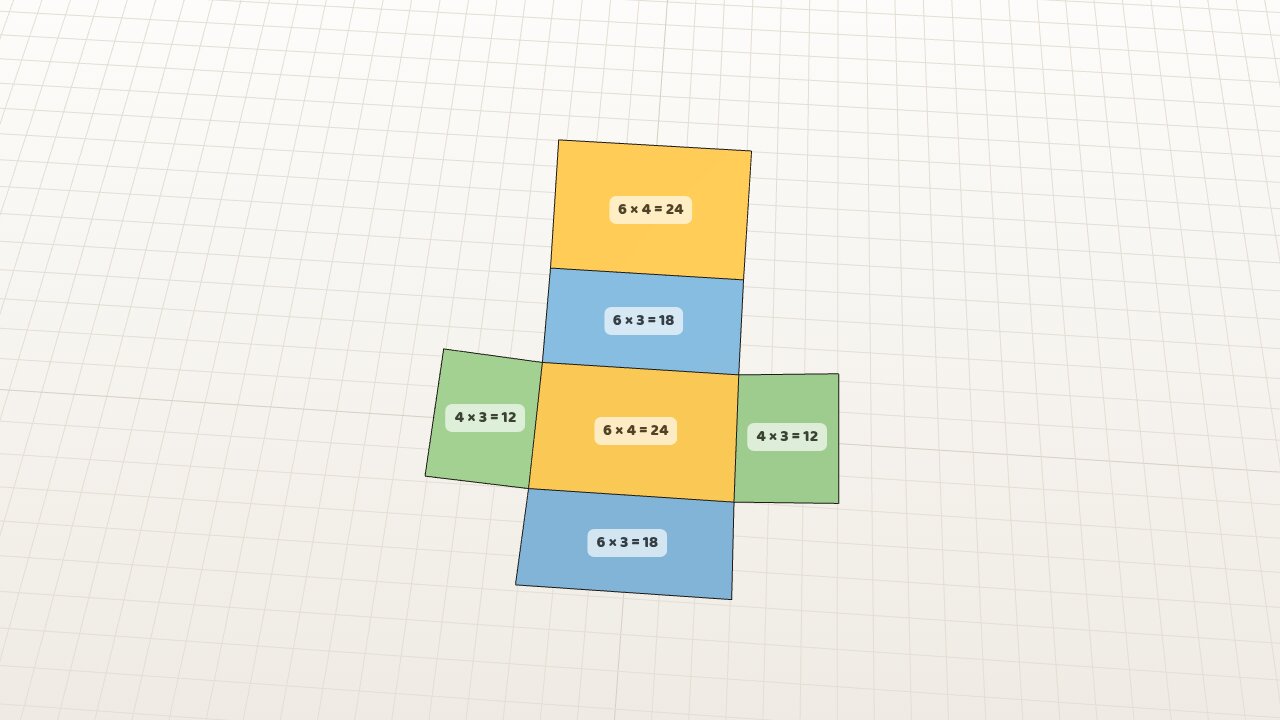
Press Unfold and the shape opens out flat into its net. Each face shows its own sum, such as 6 × 4 = 24. Faces of the same size are the same colour, and the working on the right adds them up colour by colour.
A cylinder unrolls into a rectangle as long as the distance round its circle. A cone opens into part of a circle. A sphere has no net, so four circles of the same radius slide out next to it.
Volume
Press Fill. A cube or rectangular prism fills with 1 by 1 by 1 cubes, one layer at a time, and the count goes up in the corner. A triangular prism and a cylinder fill as the end shape slides through the length. A pyramid, cone and sphere fill inside a dashed box or cylinder the same size, so the class can see where the ⅓ and ⅔ come from.
For questions
Untick Show answers and the answers are left blank on the net and in the working. The sums stay, so the class can work them out.