 Games
Games
About this game
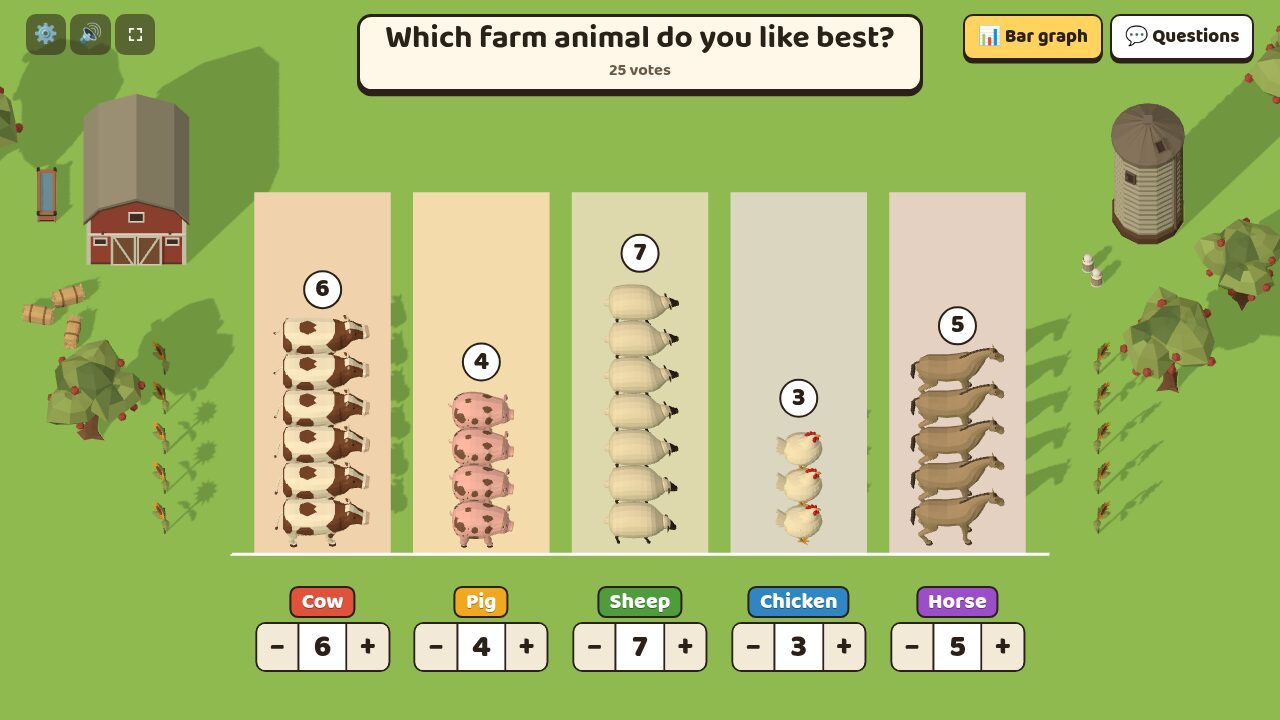
Ask the class a question, such as "How did you get to school today?" Ask for hands up for each answer, count them together, and type the number under that answer's column. That many animals walk out of the barn and line up in the column, one to a row. The number above the column goes up as each one arrives, so the class can count along.
Press Bar graph and each animal turns into a block. The blocks join up into bars, the view tilts until it looks straight down, and numbers appear up the side. Press Picture graph and the animals come back.
Questions lists things to ask about the graph, worked out from your numbers: which answer got the most votes, how many more one answer got than another, and how many votes there are altogether. Tap a question to show its answer.
How it works
- Pick a question or type your own, with 2 to 6 answers. Choose an animal for each answer.
- Ask for hands up for the first answer. Count them, type the number and press Enter to move on to the next answer. The − and + buttons work too, for a touch screen.
- Typed the wrong number? Change it, and the extra animals walk back into the barn.
- Press Bar graph to see the same votes as bars, then open Questions to talk about the result.
Good for
- Lessons on collecting data and reading picture graphs and bar graphs
- Showing that a picture graph and a bar graph can hold the same data
- Class votes, like which game to play at the end of the day